Application Driven Network Solution from H3C - AD-Campus
Application driven Network solution from H3C - Adcampus
Introduction
This article is based on a Proof of Concept (PoC) for H3C ADCampus, so every test item is designed backwards from the customer's real operational needs rather than from a feature checklist.
For large service providers, an application-driven campus network solution is typically evaluated along three dimensions.
First, it must be radically simple to deploy, configure, and operate because they often manage thousands of devices, and in wireless scenarios the number of APs can explode quickly.
Second, the platform must provide deep and intuitive visibility: analytics should be detailed down to actionable signals, presented in a way that is easy to understand, and ideally paired with one-click optimization or automation so that day-to-day work is minimized and engineers focus on high-level governance instead of repetitive tuning.
Third, access control must be scenario-aware and granular: not only "which authentication type," but policies that can adapt to context (scene), device, user identity, time windows, and more, while also supporting tenant-oriented management, resource isolation, and clean separation of responsibilities across domains.
Test Environment and Topology
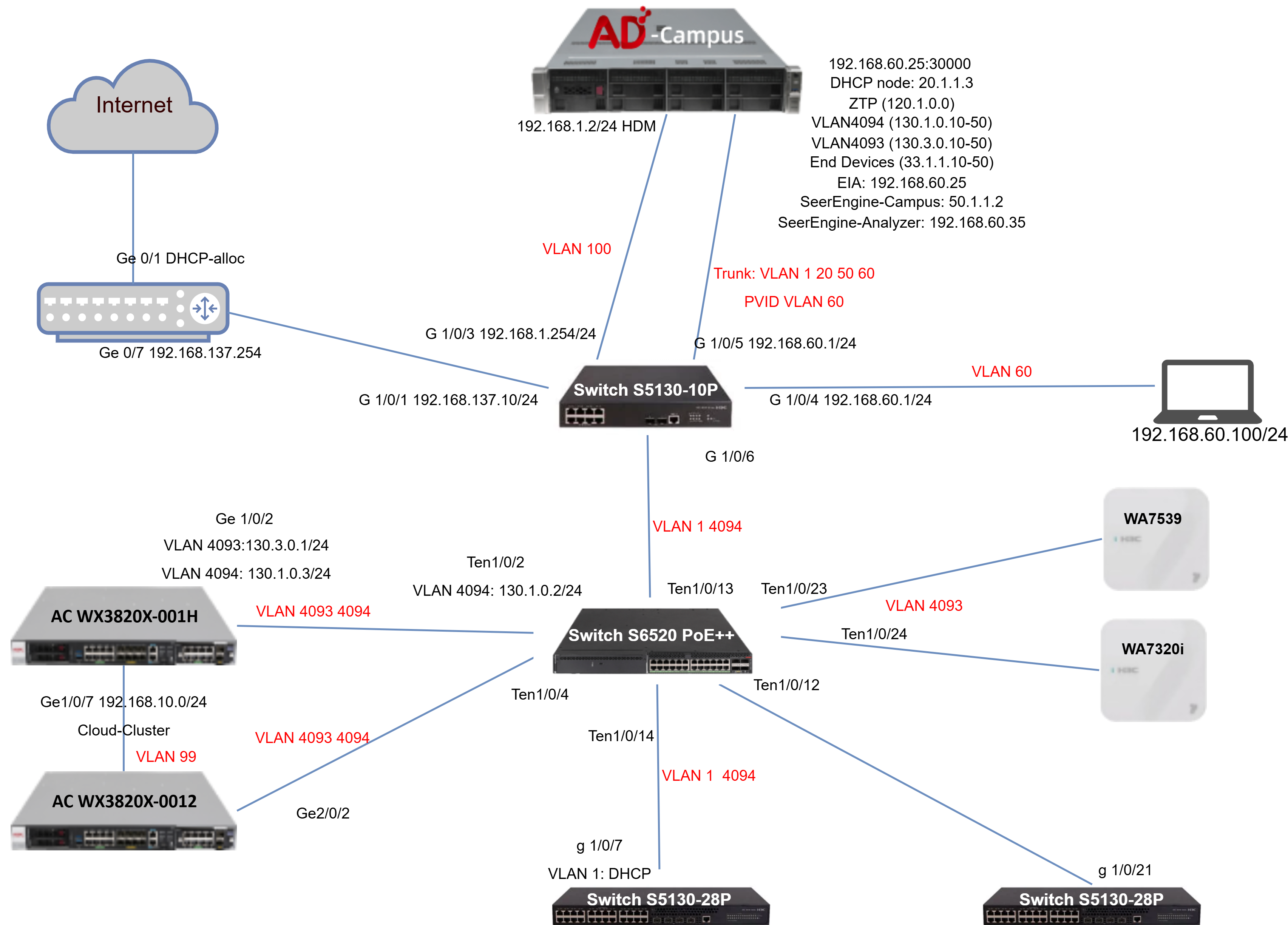
Based on the PoC design, the test environment was built with a realistic enterprise campus topology. ADCampus was hosted on a dedicated server at 192.168.1.2/24 (HDM), accessible via 192.168.60.25:30000, providing the central control, analytics, ZTP provisioning, and DHCP services. The platform acts simultaneously as the ZTP server (network segment 120.1.0.0) and DHCP server for multiple address pools: VLAN4094 (130.1.0.10-20), VLAN4093 (130.3.0.10-20), and End Devices (33.1.1.10-20). The EIA authentication service is reachable at 192.168.60.25, while SeerEngine-Campus runs at 50.1.1.2 and SeerEngine-Analyzer at 192.168.60.35.
The aggregation layer is handled by Switch S5130-10P, which connects upstream to the Internet gateway router (G 1/0/1: 192.168.137.10/24, Ge 0/7: 192.168.137.254), to ADCampus (G 1/0/5: 192.168.60.1/24 - trunk VLAN 1 20 50 60, PVID VLAN 60), and provides a management uplink (G 1/0/3: 192.168.1.254/24). An end-device laptop is connected on G 1/0/4 (192.168.60.1/24, VLAN 60) with IP 192.168.60.100/24.
The core PoE layer is handled by Switch S6520 PoE++, connected to S5130-10P via G 1/0/6 (VLAN 1 4094). It aggregates all downstream components: two S5130-28P access switches (via Ten1/0/4 and Ten1/0/14, carrying VLAN 1 and 4094; one with DHCP on g 1/0/7 VLAN 1, another on g 1/0/21), and the wireless controllers (via Ten1/0/13 and Ten1/0/23 for WA7539 on VLAN 4093, and Ten1/0/12 and Ten1/0/24 for WA7320i on VLAN 4093). The two ACs form a Cloud-Cluster:
- AC WX3820X-001H: Ge 1/0/2 with VLAN 4093 (
130.3.0.1/24) and VLAN 4094 (130.1.0.3/24); Ge1/0/7 management192.168.10.0/24; connected to S6520 via Ten1/0/2 (VLAN 4094:130.1.0.2/24) on VLAN 4093 4094
- AC WX3820X-0012: Ge2/0/2 connected to S6520 via Ten1/0/4 on VLAN 4093 4094 and VLAN 99 (Cloud-Cluster link)
The Internet gateway router provides external connectivity with Ge 0/1 as DHCP-allocated WAN and Ge 0/7 at 192.168.137.254. The physical appearance of the devices and the logical test topology used in this PoC are shown below.
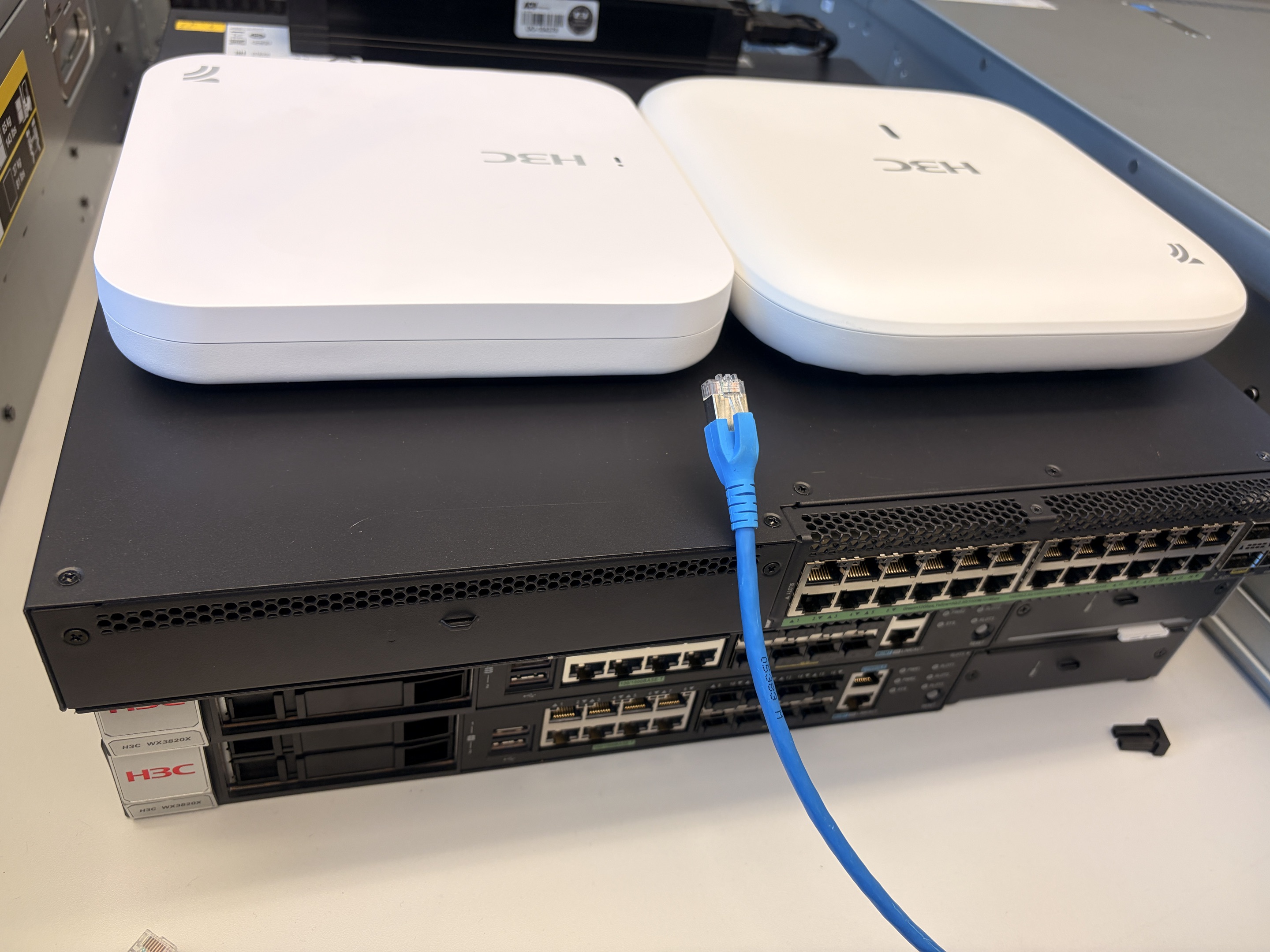
Two APs, Switch and two ACs
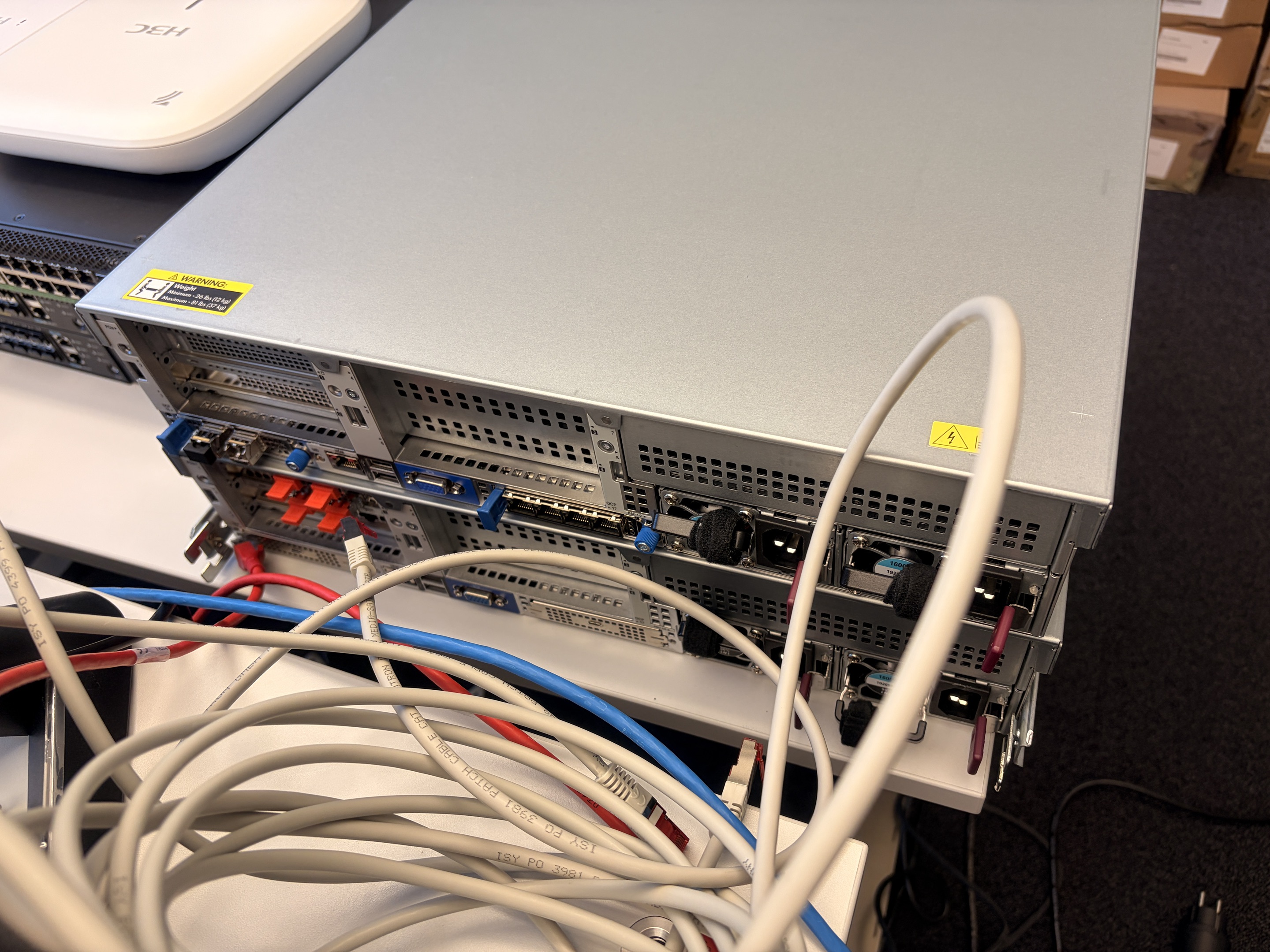
bare metal server hosted ADcampus
Test whole topology
1. Device Onboarding and Lifecycle Management at Scale
The first group of tests focuses on the most fundamental capability of an application-driven campus platform: how efficiently it can onboard devices, maintain visibility, and manage configuration and software throughout the device lifecycle.
Device Onboarding via Network Monitor
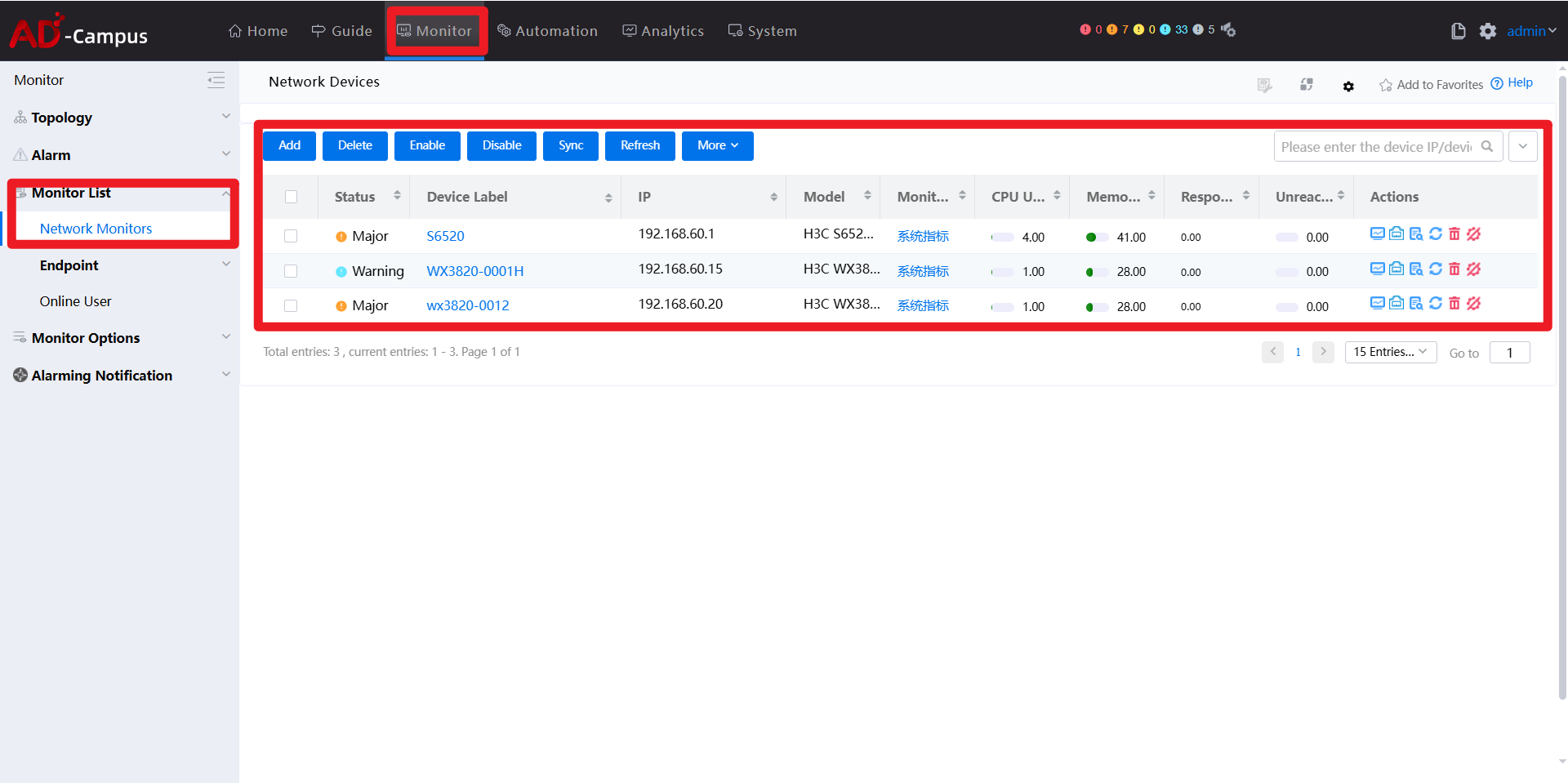
As shown in the Monitor -> Network Monitors view, devices are onboarded centrally through the monitoring plane. By adding a device under Network Monitor, ADCampus immediately treats it as a managed network element rather than a standalone node.
When adding a new device, the onboarding workflow is explicit and structured. As illustrated in the device addition page, administrators specify the management IP address, device label, and access method, together with SNMP parameters, NETCONF settings, and optional reachability checks. This approach allows ADCampus to support heterogeneous environments while keeping the onboarding process consistent and predictable.
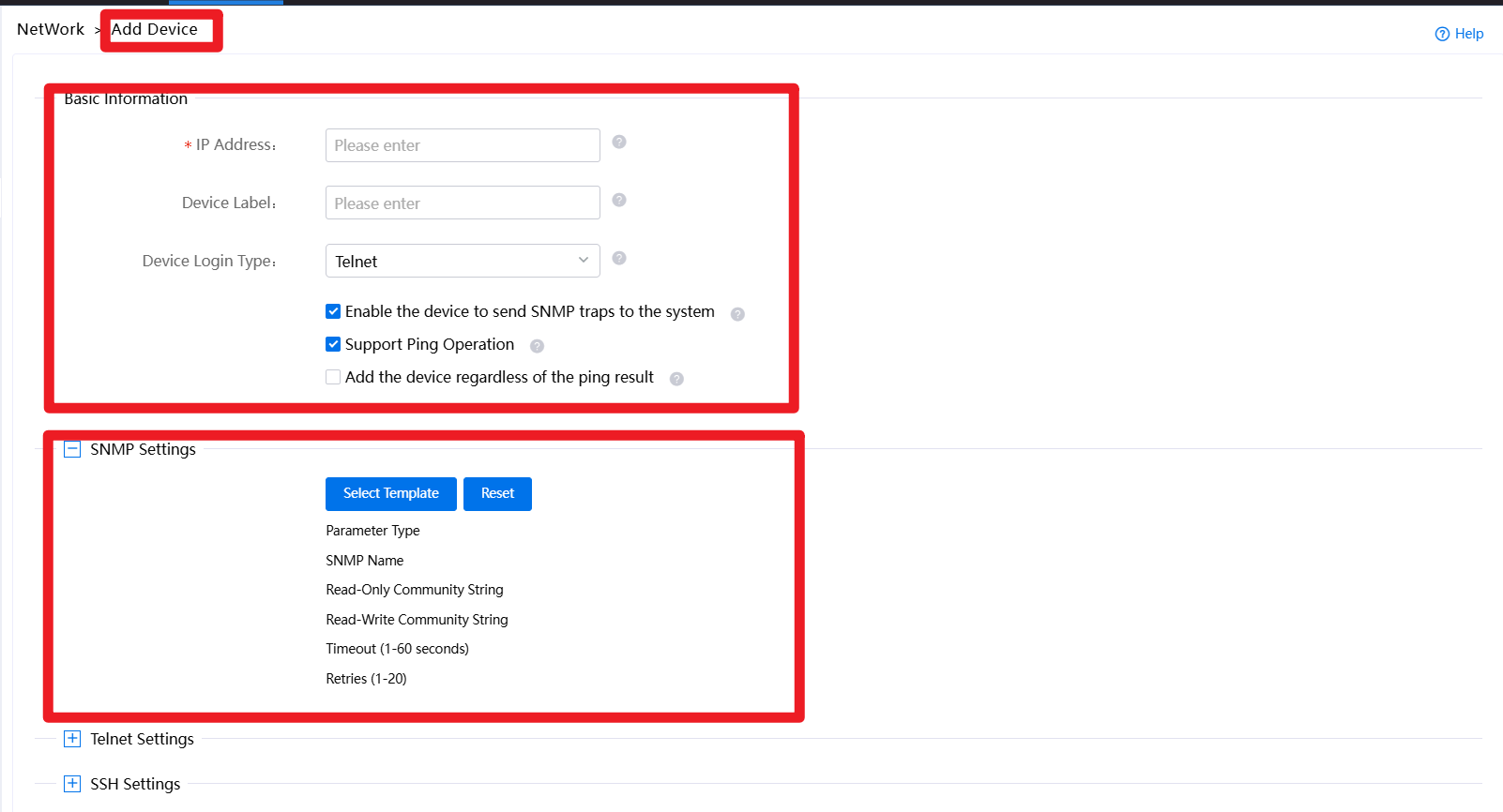
Once onboarded, the device immediately becomes visible in the monitoring dashboard. Key operational indicators such as CPU utilization, memory usage, and responsiveness are continuously collected and displayed, enabling operators to quickly assess device health without logging into individual nodes. This is particularly important in large-scale environments where per-device CLI access does not scale.
Configuration and Software Management through Automation
Beyond visibility, ADCampus integrates device lifecycle operations into the Automation domain. Under Configuration Templates, administrators can create or import configuration templates in multiple ways, including manual definition, CLI script import, or restoration from backup files. This allows configuration logic to be standardized and reused across device groups.
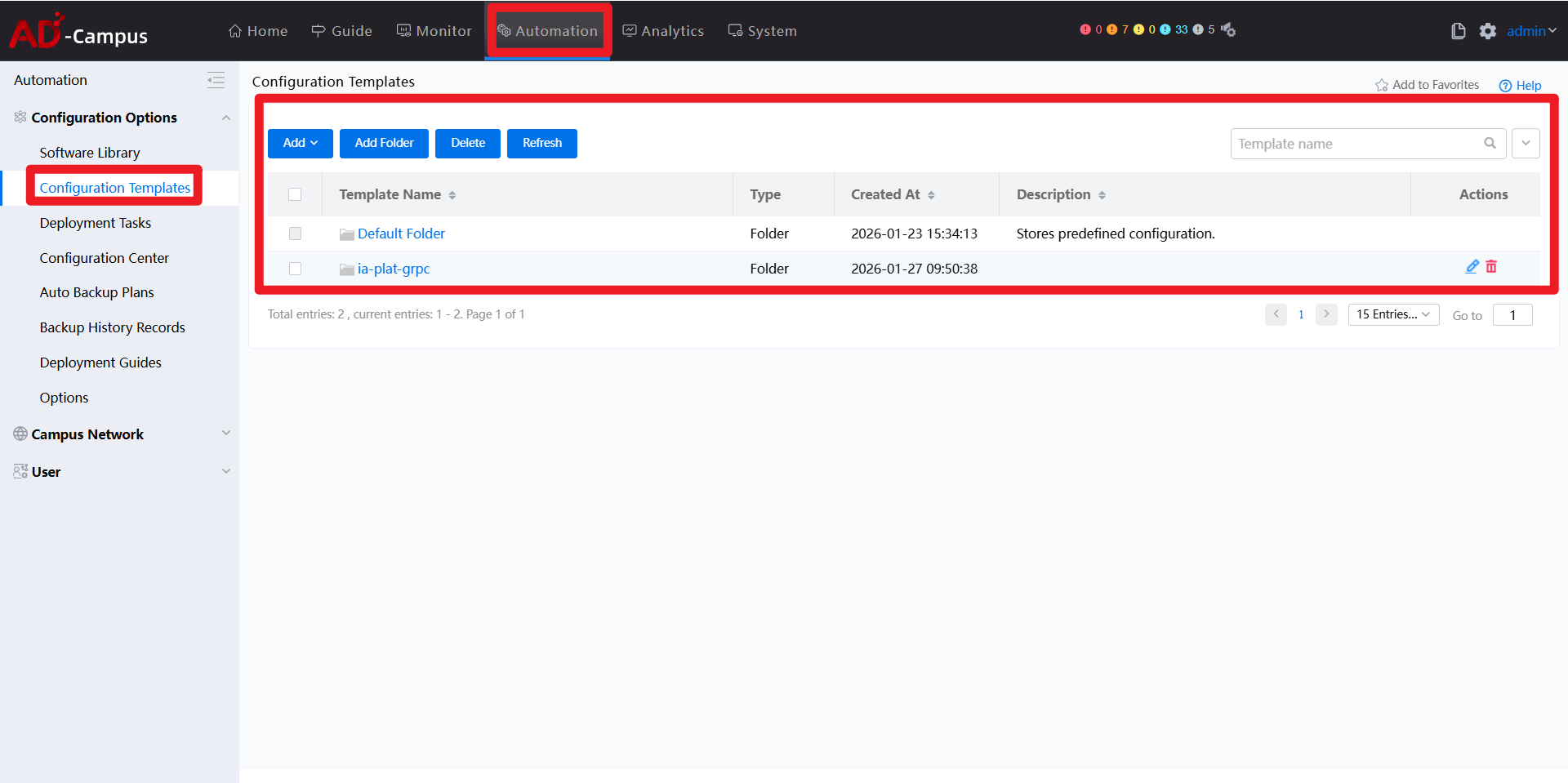
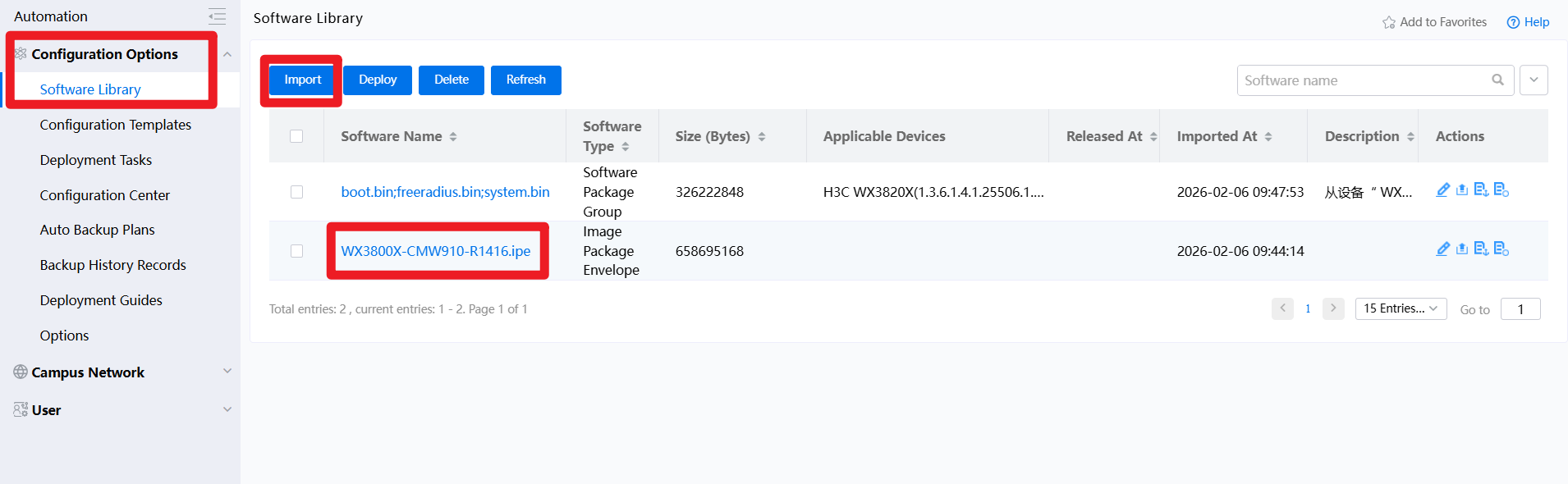
Software lifecycle management is handled in a similarly centralized manner. In the Software Library, target software images can be uploaded and stored as controlled artifacts, decoupling version management from individual devices. Configuration data, version files, and operational intent are therefore all maintained at the platform level rather than scattered across devices.
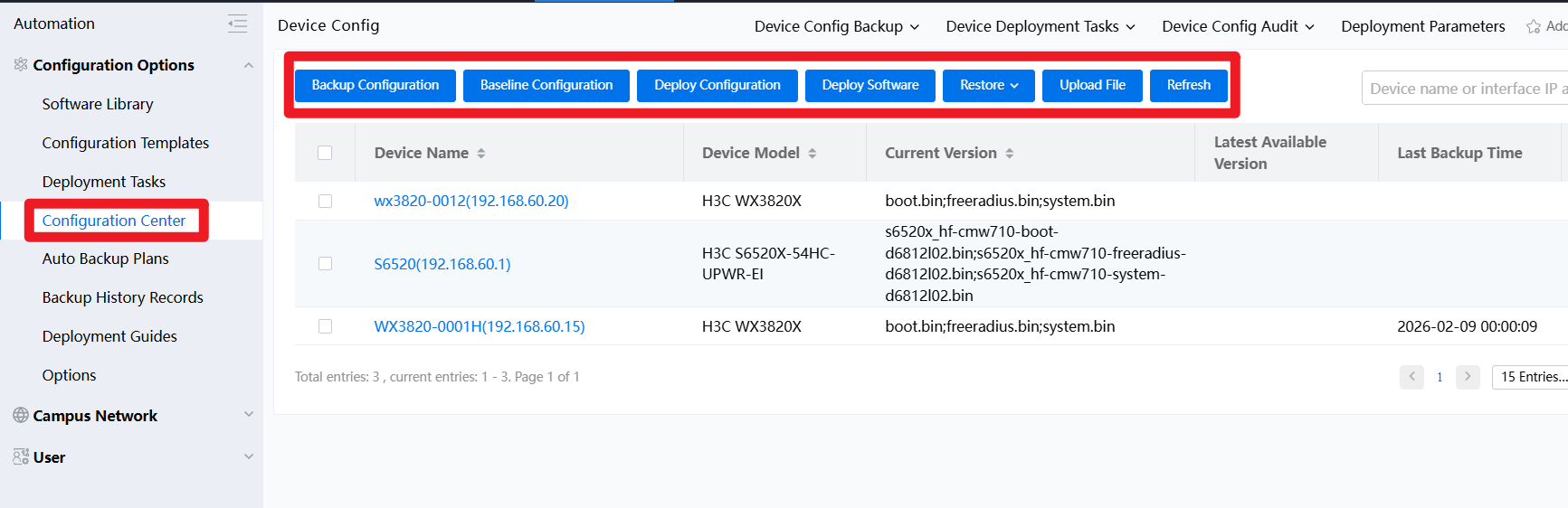
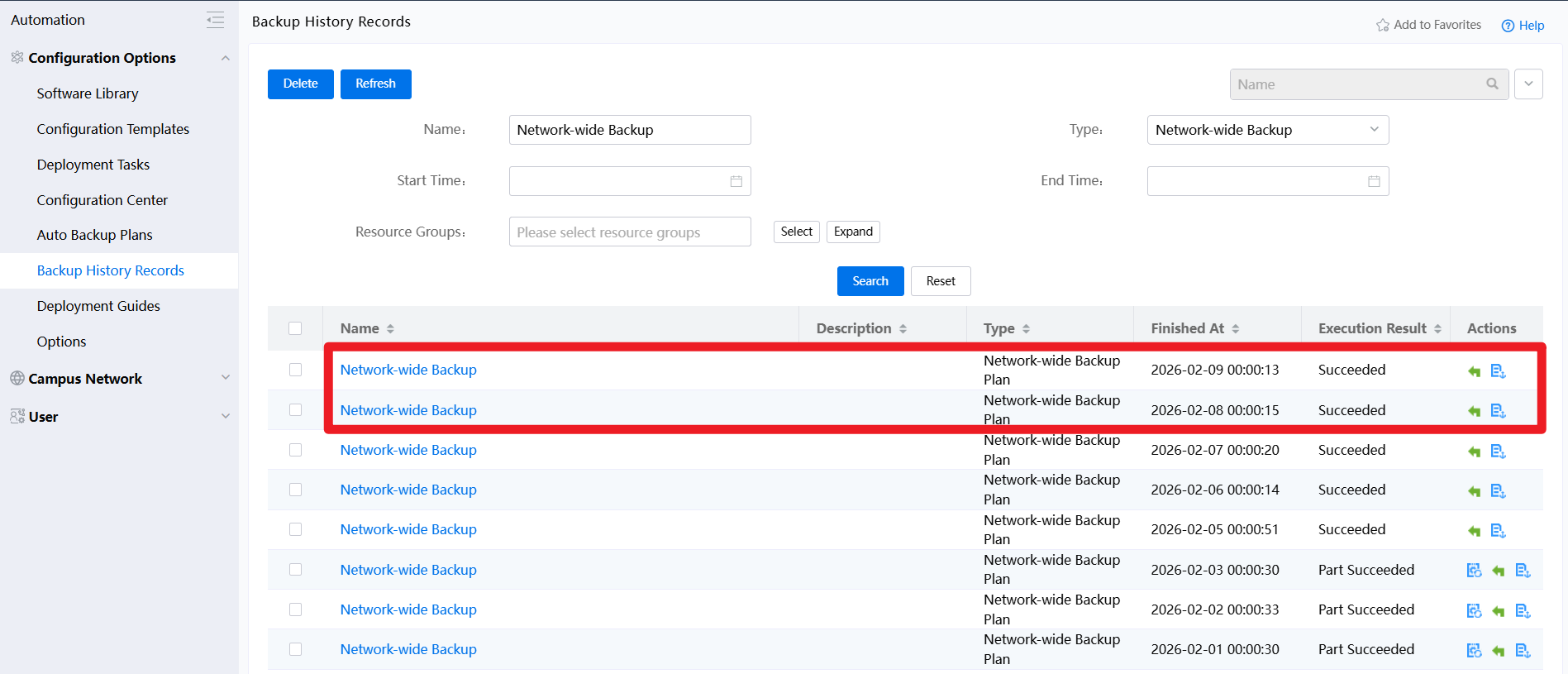
In addition, ADCampus provides a Configuration Center and automatic backup plans, allowing operators to schedule periodic configuration backups (for example, daily backups at a fixed time). This significantly reduces operational risk and simplifies rollback scenarios during change windows.
Controlled Deployment and Rollback
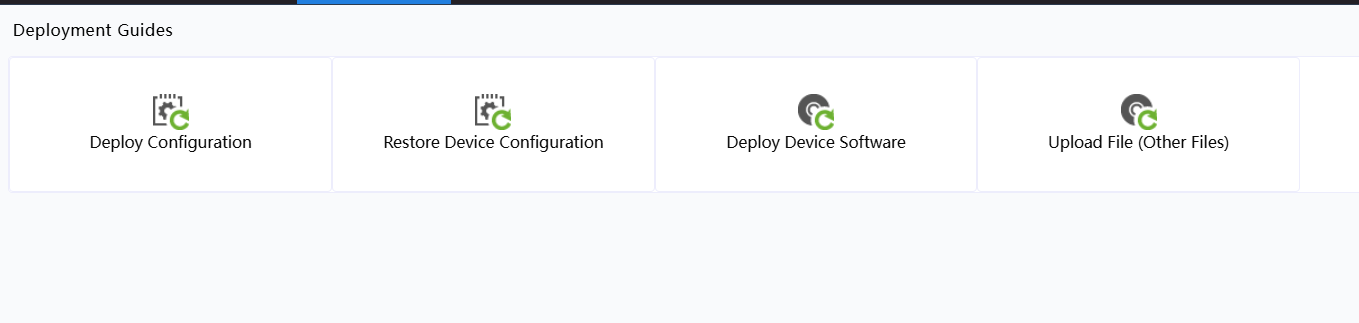
Finally, the Deployment Guides section serves as the execution layer for configuration and software changes. From here, operators can deploy configurations, restore previous versions, push software images, or upload auxiliary files in a controlled and repeatable manner. The same mechanism supports rollback operations, which is critical for PoC validation as well as production change management.
Overall, this set of tests demonstrates that ADCampus treats device onboarding, configuration, backup, and software updates as platform-level workflows, rather than isolated device operations - an essential prerequisite for operating campus networks at service-provider scale.
2. Authentication, Scene-Based Policies, and Context-Aware Access Control
The second group of tests focuses on access authentication and policy enforcement, an area where application-driven campus networks clearly differentiate themselves from traditional, authentication-type-centric designs.
From Traditional Authentication to Scene-Based Access
At a foundational level, ADCampus fully supports all mainstream enterprise authentication mechanisms, including IEEE 802.1X, Portal authentication, and MAC authentication. These methods, together with standard 3A (Authentication, Authorization, Accounting) capabilities, form the baseline that most campus network platforms on the market already provide.
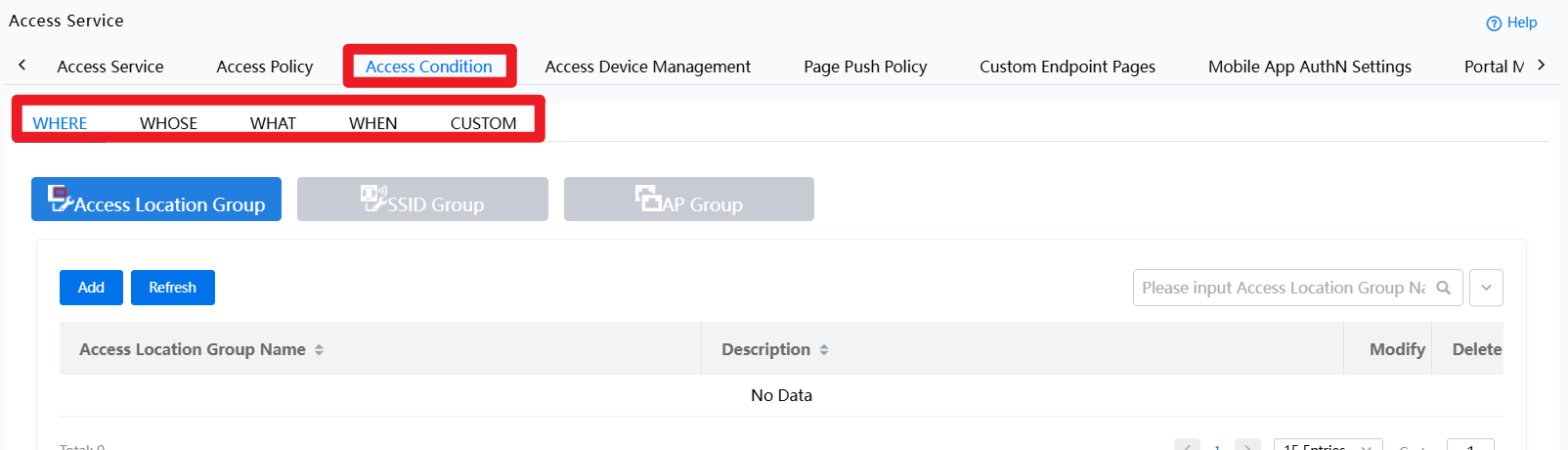
However, beyond this baseline, ADCampus introduces a more flexible and expressive model: scene-based authentication. Instead of defining access behavior purely by authentication type, ADCampus allows authentication and authorization decisions to be made based on contextual dimensions, such as where, who, what, when, and even custom-defined attributes. These dimensions represent real-world usage scenarios rather than protocol-level distinctions.
"What" Dimension: Authentication Based on Endpoint Type
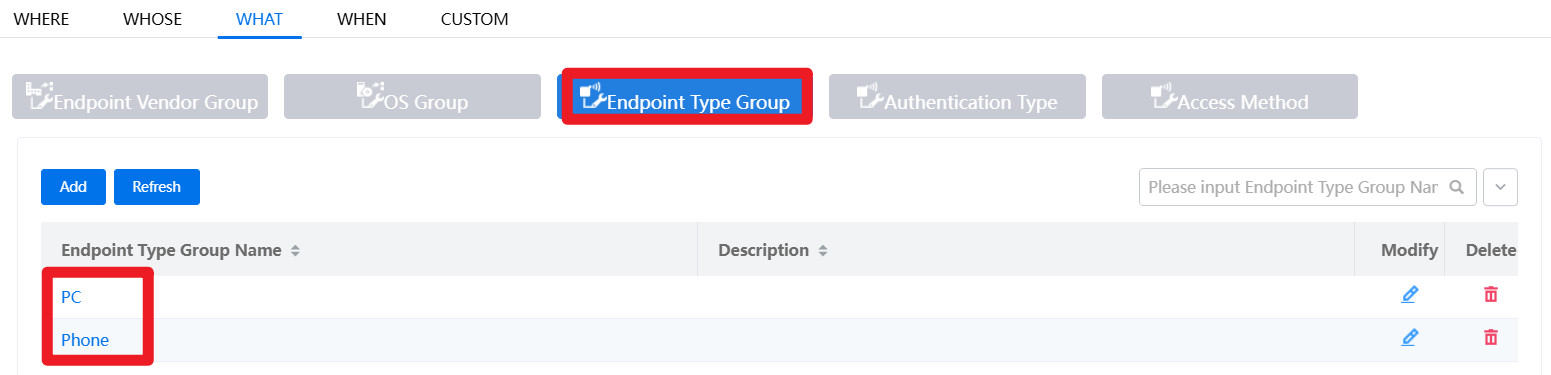
In this PoC, the What dimension is used as a concrete example to demonstrate how endpoint-aware policies work in practice. Under the What condition, endpoints can be classified based on device type, such as PC or Phone, forming distinct authentication scenarios for different categories of clients.
When an endpoint attempts to associate with an SSID, it sends a set of identification signals to the AC, including its MAC address and other protocol-level attributes. ADCampus collects this information and correlates it against its endpoint fingerprint database. If the MAC address or behavioral characteristics match a known vendor or device profile, the client is dynamically identified and bound to a specific endpoint type. This binding allows the system to "understand" what kind of device is accessing the network, without requiring manual tagging or static configuration.
Policy Binding and Granular Authorization
Once endpoint types are defined, Access Policies can be created and bound to different scenarios. ADCampus allows each policy to carry distinct authorization attributes, such as VLAN assignment, ACL application, and other forwarding or security controls.
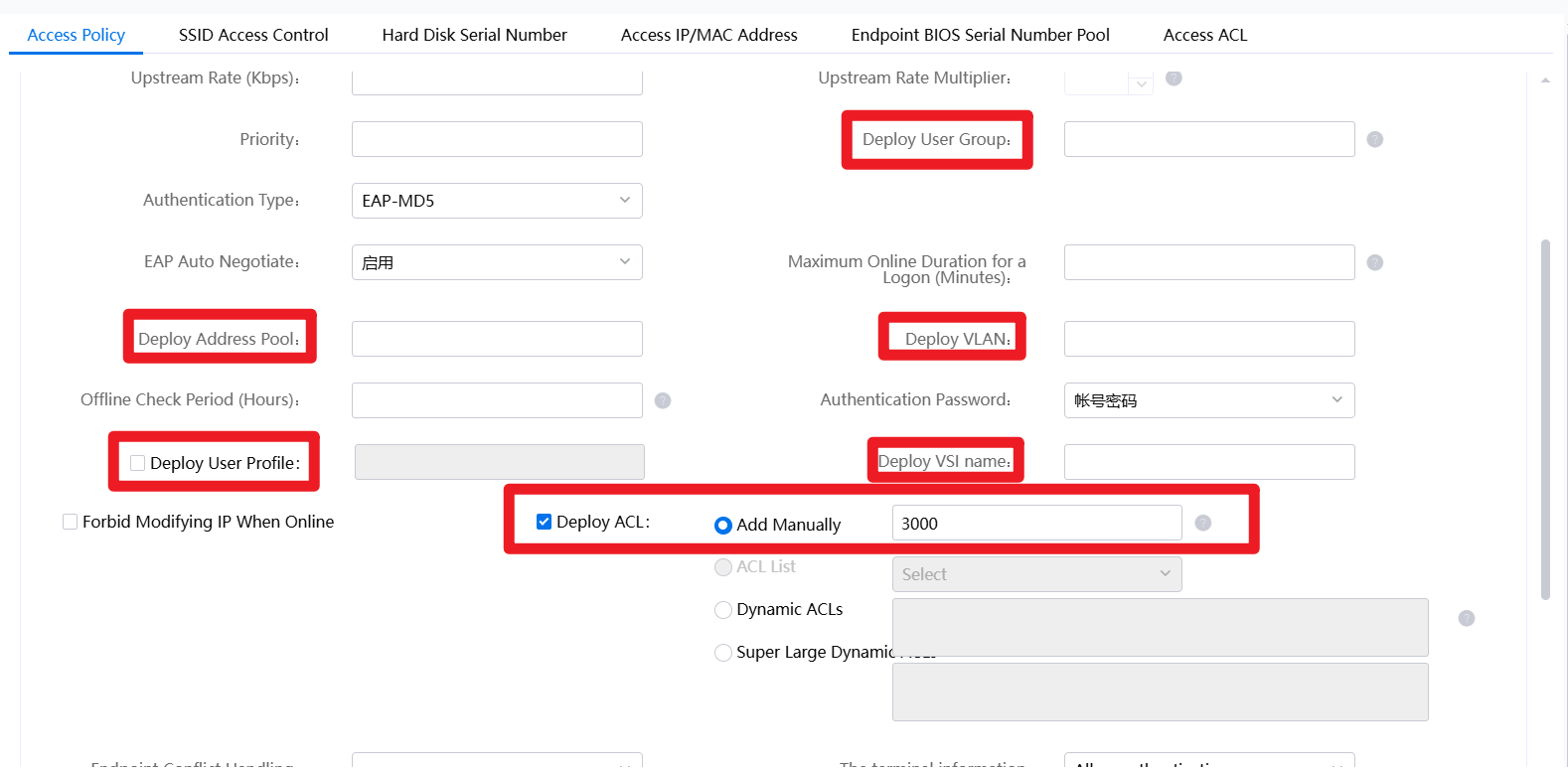
In this PoC, an ACL (ACL 3000) is used as a simple but illustrative example. The policy is designed so that ACL 3000 is applied only when the accessing endpoint is identified as a PC, while phone devices follow a different policy path. In the Access Service configuration, multiple scenarios are assembled by combining different conditions and binding them to their respective policies.
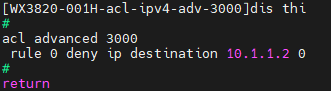
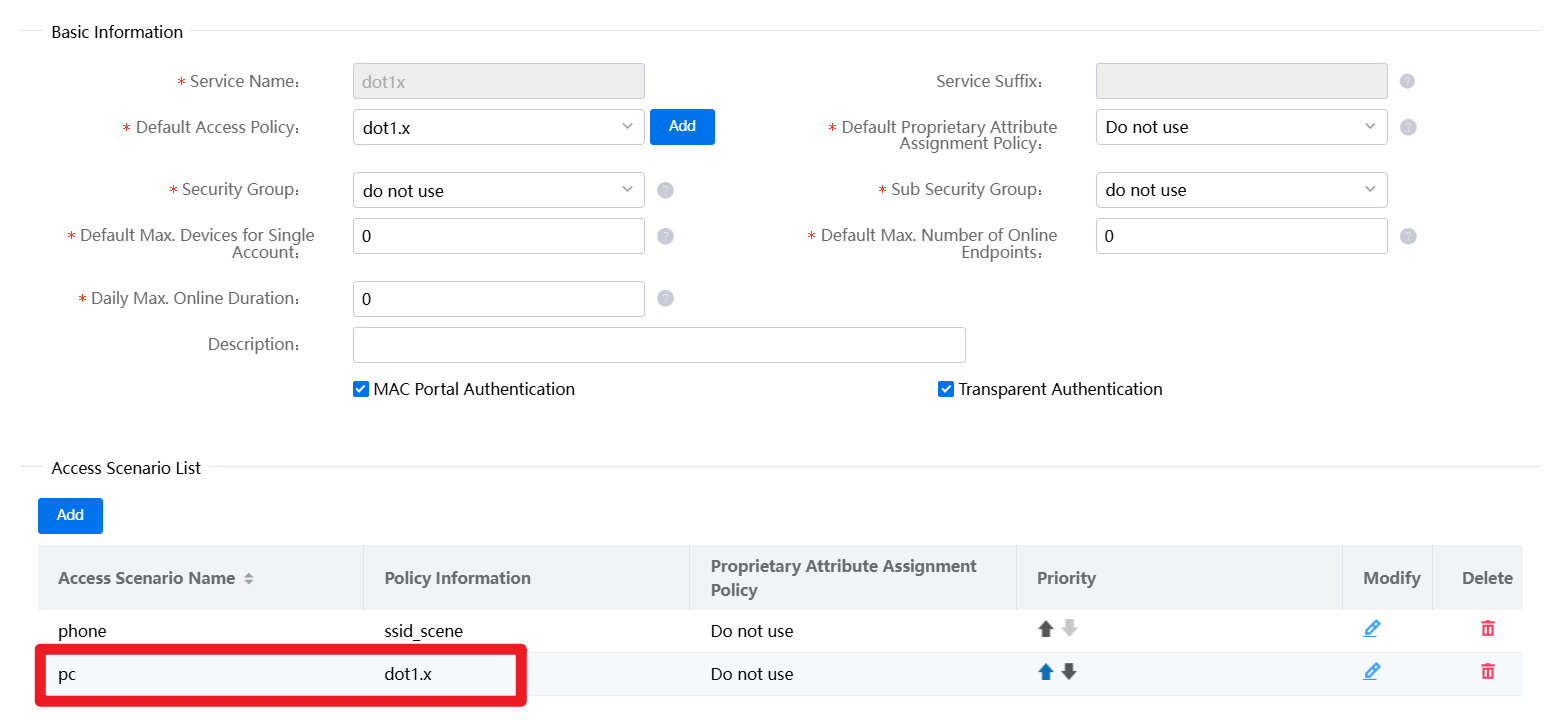
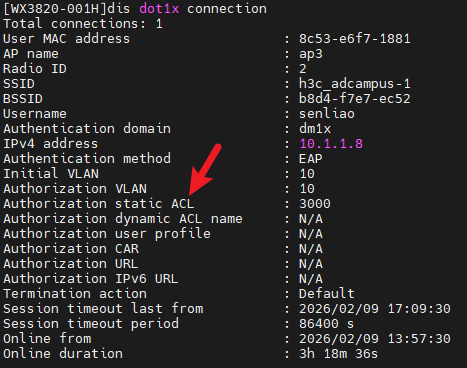
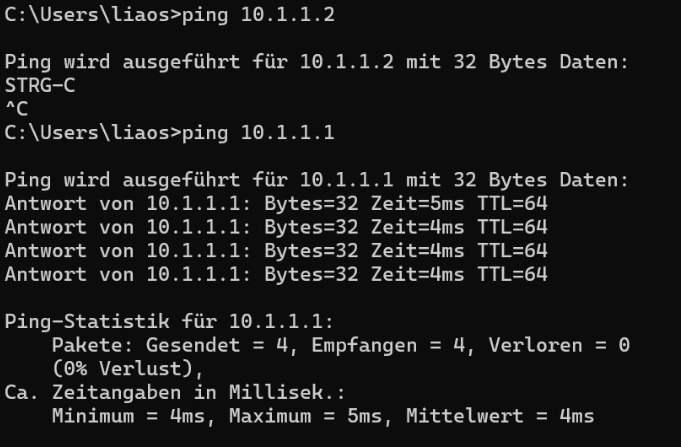
The effect of this policy differentiation can be observed directly from the client side: a PC endpoint is unable to ping 10.1.1.2 but can successfully reach 10.1.1.1, confirming that the ACL is selectively enforced. From the network side, the AC clearly shows the policy matching and ACL application process, providing transparent validation of the access decision.
Licensing Perspective
It is worth noting that in many competing campus solutions, endpoint-based or context-aware authentication is treated as an advanced feature that requires additional licensing beyond basic authentication. In contrast, within the H3C ADCampus architecture, these capabilities are available under a single EIA authentication license, without the need for separate feature licenses. This significantly lowers the barrier to adopting fine-grained, scenario-driven access control in real production environments.
