From VMware + Veeam to Dual-DC Virtualization and Backup DR
From VMware + Veeam to a Dual-DC Virtualization and Backup DR (H3C Solutions) PoC for a Swiss DataCenter Enterprise
Project Introduction
This project was a data center proof of concept for a Swiss enterprise customer with a relatively mature infrastructure landscape. The environment was built around two data centers, DC1 and DC2, plus a remote disaster recovery node, so the objective was never just to deploy a standalone platform, but to validate a complete cross-site high-availability and backup recovery design.
From a business perspective, this type of customer typically places a very high value on infrastructure stability, service continuity, and operational verifiability. That means the real focus is not only whether the platform works under normal conditions, but whether workloads can remain available and data can still be recovered when failures happen across sites.
The core idea behind this project was to evaluate whether a CAS + CB7000 solution could serve as an alternative to the more traditional VMware + Veeam combination. For that reason, many parts of the design and validation process were organized around capabilities that are usually expected from a VMware-class solution, including virtualization management, migration, high availability, backup, and recovery.
In practical terms, the PoC was structured around three major validation areas: VMware environment management and migration to CAS, stretched cluster verification across DC1 and DC2, and CB7000 backup with recovery to the DR node. Together, these formed the baseline for assessing whether the alternative solution could deliver a consistent enterprise-grade outcome rather than just isolated feature demos.
Project Goals
This project was not about spinning up another platform. It was about proving that a real alternative could work in a real enterprise environment.
Here is what I wanted to validate:
1. Can CAS take over the VMware role?
- Manage the existing virtualization environment.
- Support VM migration from VMware to CAS.
- Deliver cluster and stretched-cluster capabilities.
2. Can the dual-DC design survive failures?
- Keep services running when one host goes down.
- Keep workloads online when a storage path fails.
- Prove that stretched cluster + FC active-active storage is not just a design on paper.
3. Can CB7000 complete the backup-to-recovery loop?
- Back up CAS virtual machines successfully.
- Back up database workloads as part of the PoC scope.
- Restore workloads to the remote DR node, not just show a successful backup job.
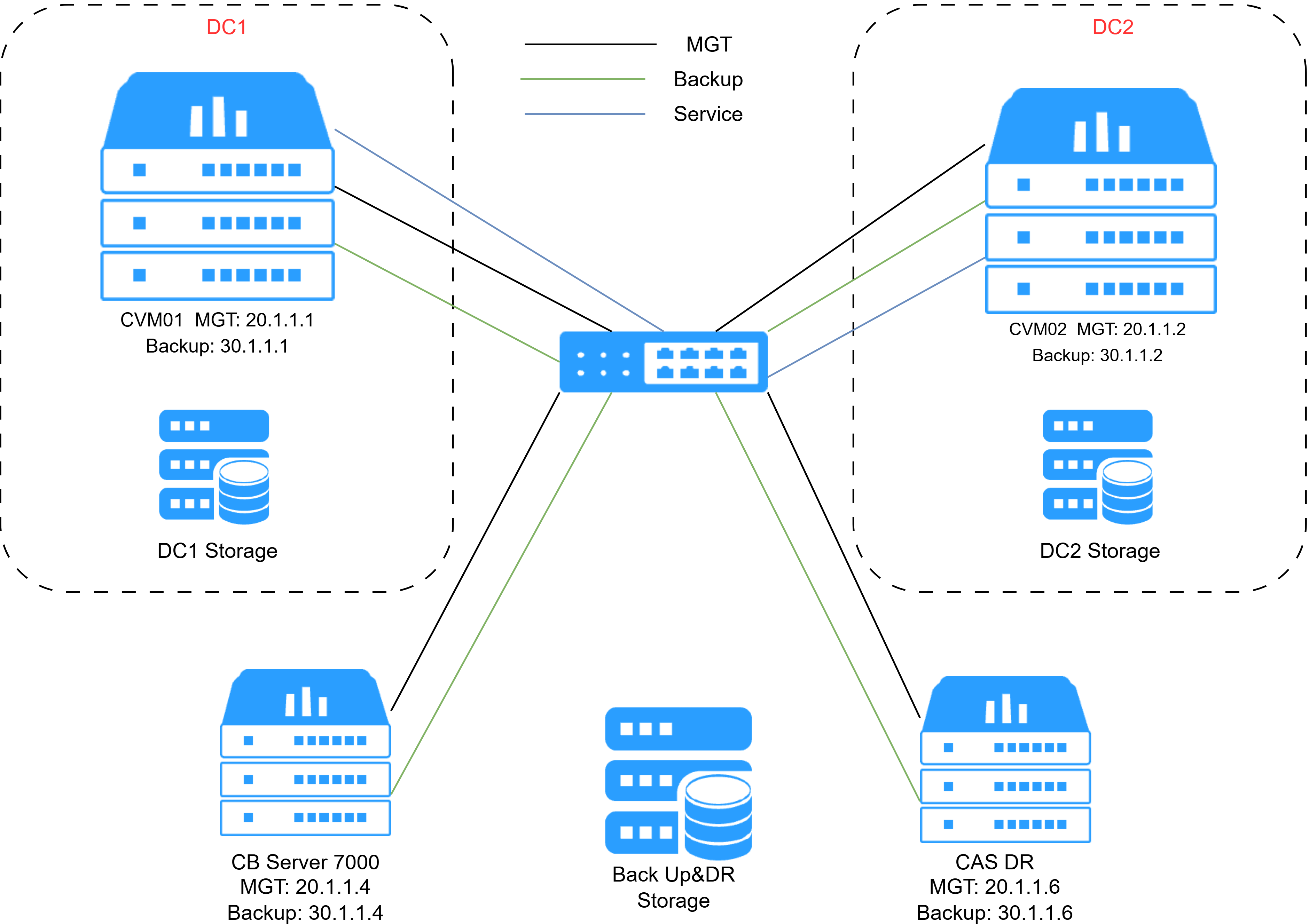
4. Can the network design actually be deployed?
- Separate the management plane from the backup plane.
- Make sure both planes have the connectivity they need.
- Follow the CB7000 deployment requirement that backup traffic should use its own network plane instead of sharing the management plane.
Pre-Test Phase
Before going on site, I first built a pre-test environment internally. The goal was simple: get the key workflow working before facing all the uncertainty of a real customer environment. That included platform deployment, basic management, backup and recovery flow, and OS compatibility checks.
Because I did not have FC storage in the lab, I added a Windows Server and used iSCSI to simulate shared storage. It was not meant to fully copy the customer environment, but it was enough to validate the basic interaction between the virtualization platform and the backup platform.
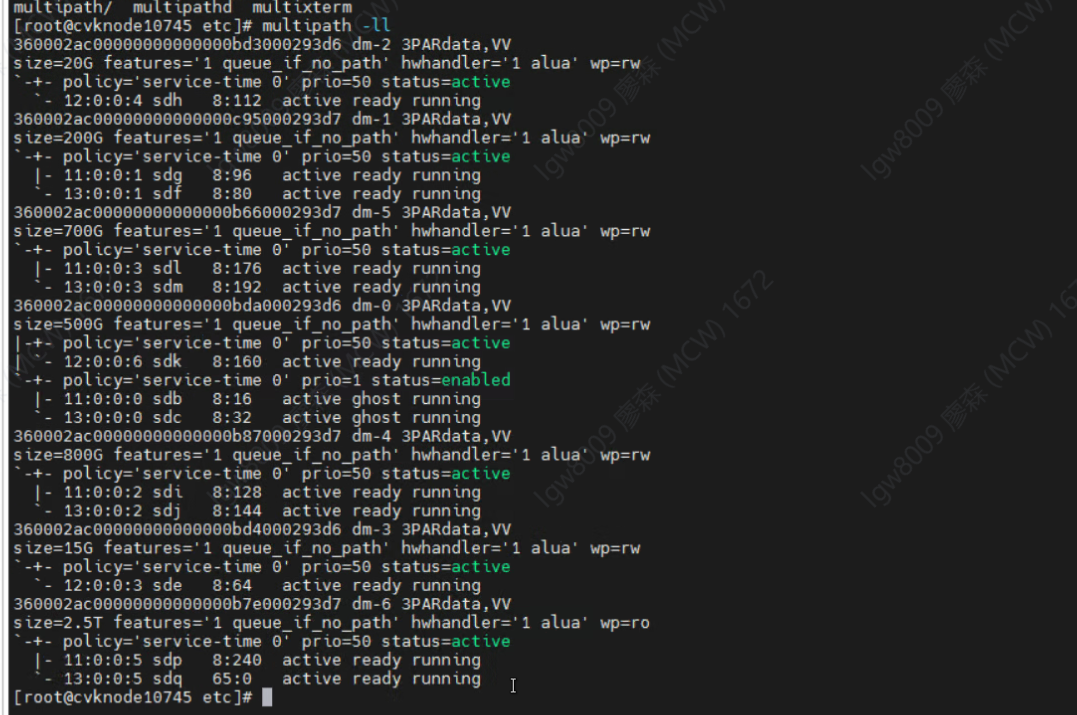
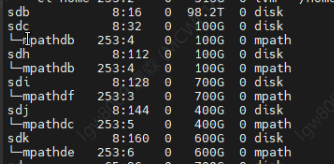
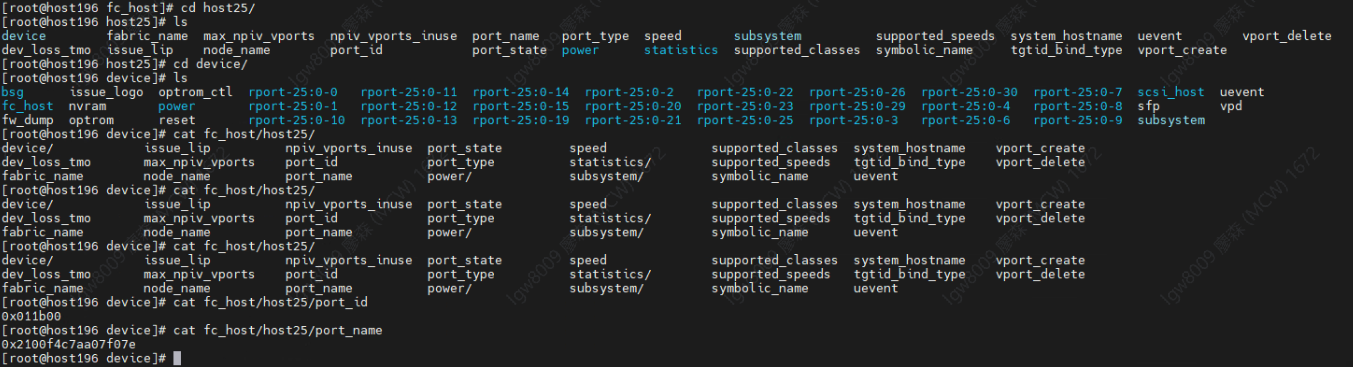
This step helped reduce risk. Instead of discovering everything for the first time on site, I could already confirm that the main logic of the solution worked end to end.
Another big focus in this phase was the operating system. CB7000 separates server, client, and application agent deployment, so OS version differences can directly affect installation success and later troubleshooting. I have even made a installation guidance for CB environment base on the installation procedure when I install it.
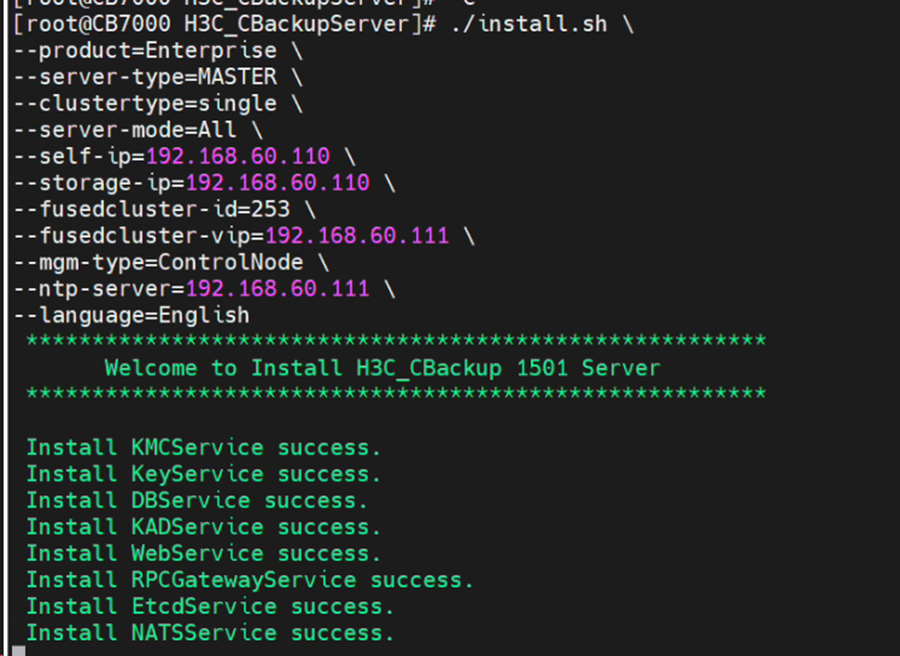
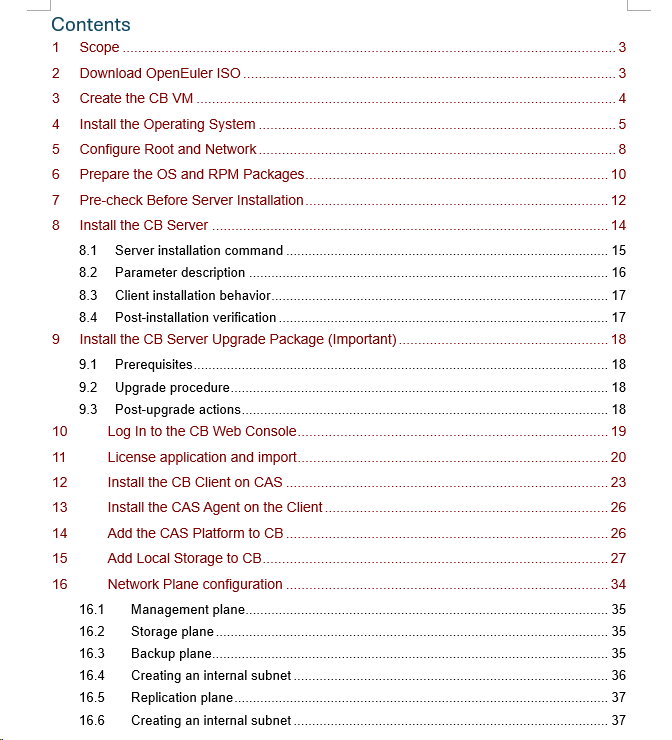
H3C CB7000 Installation Guidance and Basic Configuration V1.0.pdf
What I wanted to prove in pre-test
- The platform could be installed cleanly.
- Basic management and connectivity worked.
- Backup and recovery could run through the main flow.
- Different OS choices would not become a blocker later.
Why this mattered
- It reduced surprises at the customer site.
- It gave me a fallback mindset before the real delivery started.
- It made the on-site phase much more focused and efficient.
Solution Design
The whole design followed one main idea: this was not just a product demo, but a replacement path for VMware + Veeam.
So I did not look at CAS and CB7000 separately. I looked at them as one combined solution that had to cover virtualization, availability, backup, and recovery together.
4.1 Virtualization
CAS was designed to take over the virtualization role, including platform management, heterogeneous integration, and VM migration from VMware.
What I liked about the stretched cluster design is that it is not just "two sites with resources." It has a clear cross-site failover logic, with local and remote region awareness, which makes it much closer to a real enterprise HA design.
4.2 Storage and HA
The storage part was built around FC active-active access across two DCs. The goal was not just to mount storage, but to make sure both sites could keep working when a path problem happened.
That is why the storage test mattered: if one local path failed, the VM should still keep running through the other side. For me, that is where high availability becomes real.
4.3 Backup and DR
CB7000 was designed to take the backup and recovery role in the new solution. But the point was never just to show that backup jobs could run.
The real target was to prove a full loop: protect workloads, then restore them to an independent DR node. That is what makes a backup design meaningful.
4.4 Network Planes
The network idea was simple: management traffic and backup traffic should not mix. The management plane was for control and administration, while the backup plane was for actual backup data flow.
This became very important later on site, because one of the backup issues was not caused by the platform itself, but by the fact that the backup network and the backup plane were not actually connected.
My Delivery Approach
My approach was simple: test first, deploy second, prove it under failure conditions last.
I first used the internal lab to validate the key workflow of CAS + CB7000, including basic compatibility, backup logic, and recovery flow. Then I moved to the customer site for the real deployment, network integration, and storage connection. Finally, I used failure simulation, backup validation, and recovery to the DR node to prove that the solution was not only installable, but actually workable.
More than technical delivery
In this project, I was doing more than installation and configuration. I also turned internal pre-test results into on-site action steps, organized scattered advice from R&D into something practical, and kept different parties aligned during the delivery.
That included issue collection, progress updates, follow-up on open items, and coordination between the customer, internal teams, and backend support. At some point, it felt less like pure technical support and more like acting as a small project owner on site.
Communication matters
For me, on-site delivery is not only about technical accuracy. It is also about keeping the collaboration smooth. When testing sessions became too long, I would actively suggest taking a short break so the atmosphere would not stay tense all the time.
I also found that small cultural conversations helped a lot. For example, when I mentioned that I had always wanted to do the Tour du Mont Blanc, the customer became very engaged and shared his own cycling route experience in Switzerland. When we talked about Swiss food, they were also happy to explain how they prepare and enjoy Fondue.
Since I live in Germany and know the Schwarzwald area quite well, I could also connect through local life, travel, and regional culture. Together with switching naturally between English and German, this helped build trust and made the technical collaboration much easier.
Project Challenges
One of the biggest challenges was compatibility uncertainty. The hardware and storage combination at the customer site had not gone through a fully closed compatibility validation as one complete stack.
For example, Dell R760 had already been validated successfully with CAS, but that did not automatically mean the full chain of CAS + CB7000 + FC storage + OS + HBA driver was fully proven.
Once you add third-party storage, HBA cards, OpenEuler versions, kernel differences, and RPM dependencies, the project naturally carries a lot of unknowns. That is why having fallback OS choices, patches, drivers, and rollback options was so important from the start.
On-Site Validation and Real Issues
Once I was on site, the project started to come together step by step. The CAS nodes were installed, the CB side was deployed and licensed, client onboarding moved forward smoothly, and both FC storage and the backup network were gradually connected. At that point, I was already able to demonstrate backup functions on CB and walk the customer through the broader platform capabilities. The feedback was generally positive.
Of course, the real value of on-site work is not that everything goes smoothly. It is how problems appear, and how quickly they can be understood and handled.
What actually went wrong
- Storage active-active status looked wrong in the backend.
This was later confirmed to be a display logic issue rather than a real configuration failure. The right approach was to follow the front-end procedure first, add the storage there, and only then would the backend multipath status become visible.
- The CB server OS installation failed at first.
openEuler 22.03 had compatibility issues with the customer hardware, so I switched to openEuler 24.03. That solved the installation problem, but then introduced some RPM matching issues that also had to be handled.
- VM backup failed during testing.
One part of the issue came from missing OS dependencies, and another part came from the fact that the backup network was not actually reaching the CB backup plane. After temporarily switching to the management network, the backup demo worked again.
- Some problems were not platform problems at all.
For example, when DC1 and DC2 could not communicate, the final root cause turned out to be a physical switch issue on the customer side, not a software issue in the platform.
For me, this was one of the most realistic parts of the whole project: in enterprise delivery, a big part of the work is learning to separate real product issues, environment issues, and integration issues as fast as possible.
Project Reflection
One of the biggest takeaways from this project was that I stopped seeing myself as only an engineer who installs and troubleshoots systems. I started to think more like a project owner.
From solution design, replacement-path thinking, and compatibility testing, to on-site validation, issue tracking, customer feedback, communication with sales, and coordination with R&D and headquarters support, I ended up working across much more of the project lifecycle than I originally expected.
Before, I would focus more on whether a specific configuration succeeded. In this project, I cared much more about whether the whole thing was actually moving forward: whether the customer understood the design, whether testing had the right pace, whether issues were truly closed, and whether internal teams had the right information to support the next step.
So the real growth from this PoC was not only technical. It also gave me stronger experience in project coordination, communication, and ownership. It made me realize that good on-site delivery is not just about knowing the technology. It is also about driving progress, aligning people, and building trust in a complex environment.