AI Server Installation based on H3C R5300 G6 Server
# AI Server Installation base H3C R5300 G6 Server
Bringing an AI Server Back to Life: Ubuntu 22.04 & GPU Driver Deployment on H3C R5300 G6
Today's task was a classic but always slightly stressful one:
installing the operating system and GPU drivers on an AI server, making sure everything works end-to-end and is ready for customer testing.
The target system was an H3C R5300 G6 GPU server, and the goal was simple on paper:
get Ubuntu up, get the GPUs recognized, and leave the system in a clean, reproducible state.
In practice, it's always a bit more interesting.
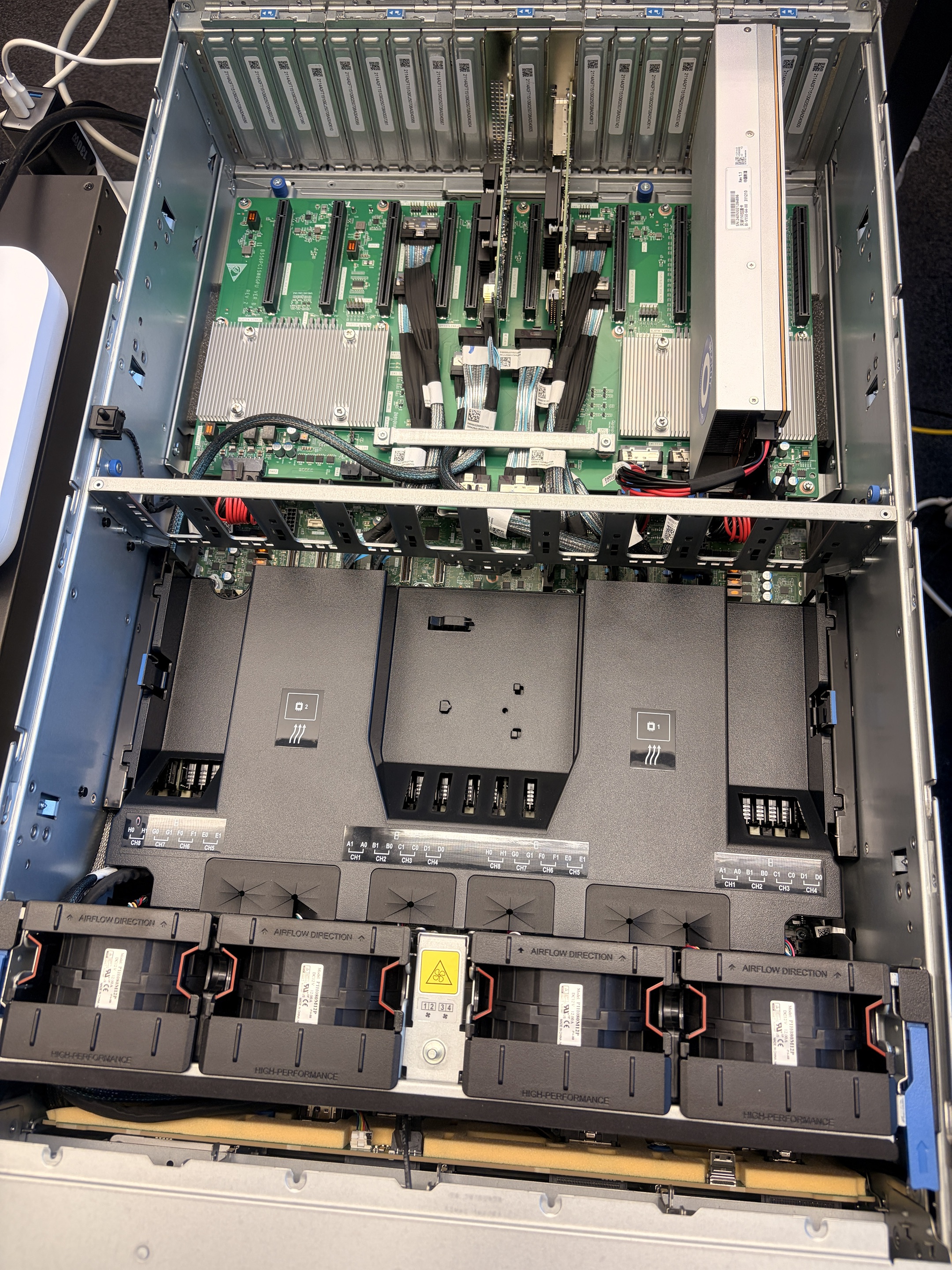
Internal details of the gpu server
Hardware Context
The server is an H3C R5300 G6, designed for AI workloads and equipped with Iluvatar GPUs.
Before touching software, hardware status had already been validated:
- Server powered on correctly
- GPUs physically installed and powered
- No outstanding hardware alarms
This is important: driver problems often get blamed on software, but many issues start at the hardware or power-cable level. Once hardware is clean, software work becomes predictable.
Operating System Installation
I installed Ubuntu 22.04 LTS (amd64), which is currently a solid and well-supported base for AI workloads on x86 servers.
Key points from the OS setup:
- Standard Ubuntu installation (no exotic partitioning)
- Clean user environment for future testing
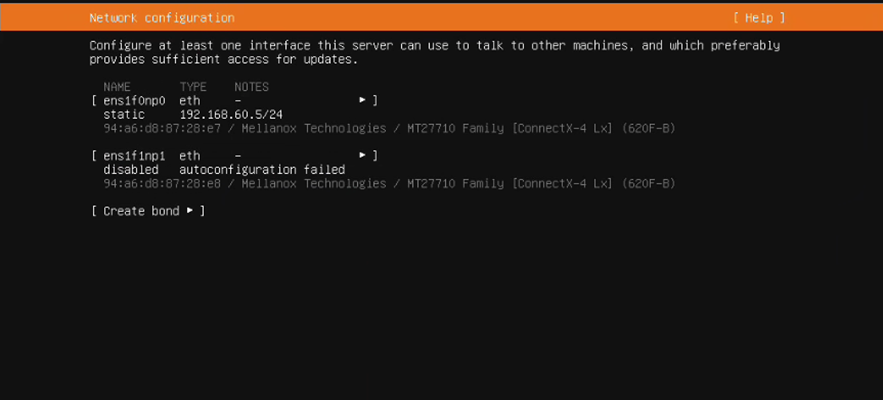
- Static network configuration applied immediately after install
The server was configured with:
- IP address:
192.168.60.5
- Default gateway:
192.168.60.1
Once basic connectivity was confirmed, the system was ready for driver work.
Preparing the System for GPU Drivers
GPU drivers on Linux are rarely just "install and forget."
They usually require local kernel module compilation, which means the OS must be prepared properly.
Before touching the Iluvatar driver installer, I ensured that all required build dependencies were present:
- Compiler toolchain (gcc)
- Build utilities (make)
- Kernel headers matching the running kernel
- PCI utilities for hardware inspection
This step is often underestimated, but it's critical - missing a single build tool can cause driver installation to fail in non-obvious ways.
Installing the Iluvatar CoreX GPU Driver
With the system prepared, I installed the official Iluvatar CoreX driver package provided for this platform.
The installer compiled and loaded the kernel modules successfully, and after a reboot, the system came back cleanly.
At this point, the most important question was simple:
Can the system actually see the GPUs?

Verifying GPU Availability
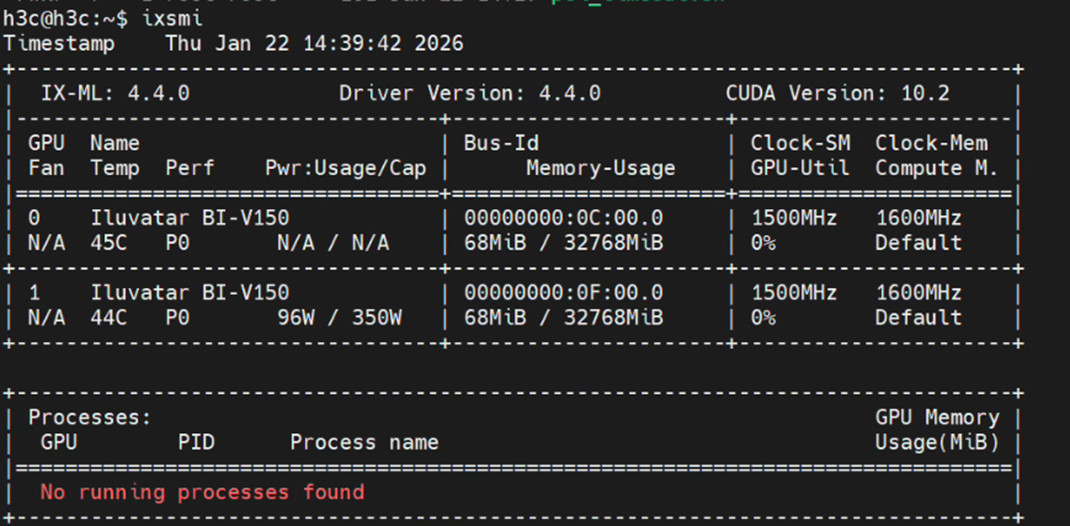
GPU detection and driver validation were done using Iluvatar's standard management utility:
ixsmi
Once executed correctly, all GPUs were visible and reported in a healthy state.
It's worth mentioning that during setup, a brief issue appeared that looked like a tool problem, but it turned out to be a simple command typo, not a driver or environment issue. After correcting the command input, everything behaved as expected.
This confirmed:
- Driver installation was successful
- Kernel modules were loaded
- GPUs were fully operational
Environment Cleanup and Usability
To make the system user-friendly for future operations:
- The GPU management tools were added to the system PATH
- Environment variables were configured so tools work across sessions
- The system was left in a state where standard operational commands work out of the box
This matters especially for handover scenarios, where the next engineer or customer should not need tribal knowledge to run basic checks.
Final State and Readiness
By the end of the process, the server was in a clean, verified, and reproducible state:
- Ubuntu 22.04 installed and networked
- All required system dependencies in place
- Iluvatar CoreX GPU driver installed successfully
- GPUs detected and manageable via standard tools
- System ready for higher-level AI and LLM testing
At this point, further work - such as model deployment, containerized runtimes, or performance testing - can proceed by following Iluvatar's official documentation.
Closing Thoughts
Install an AI server is never just about running installers.
It's about methodically eliminating uncertainty - hardware first, OS second, dependencies third, drivers last.
When each layer is handled cleanly, the result is predictable, stable, and easy to hand over.
And that's exactly what you want before starting real AI workloads.
Detailed installation steps could follow with this document